LCA Email Signature Builder (Outlook Version)
Live-edit the fields below. The preview updates as you type. Download when ready.
Preview
Copy/paste your signature.
Installation Instructions
-
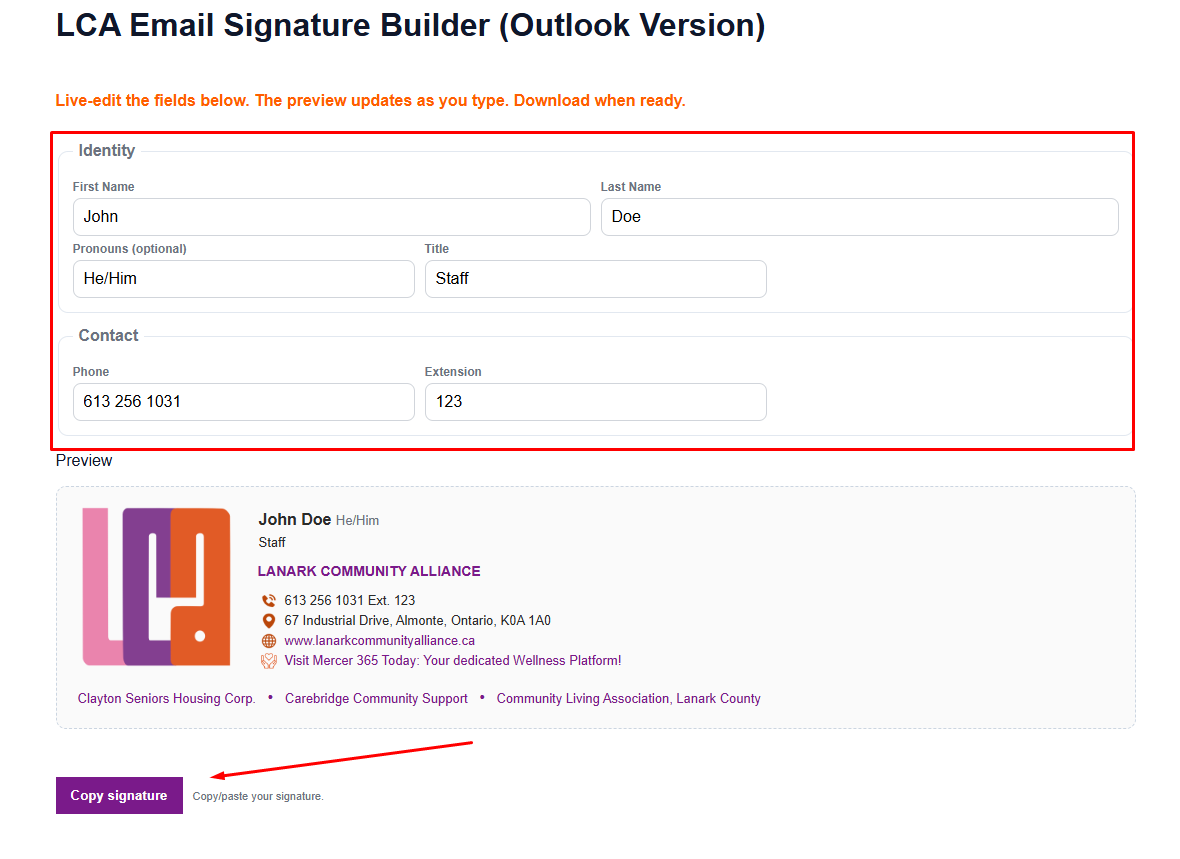
Build and Copy the Signature above
Click the Copy signature button above to copy your signature to the clipboard.
-
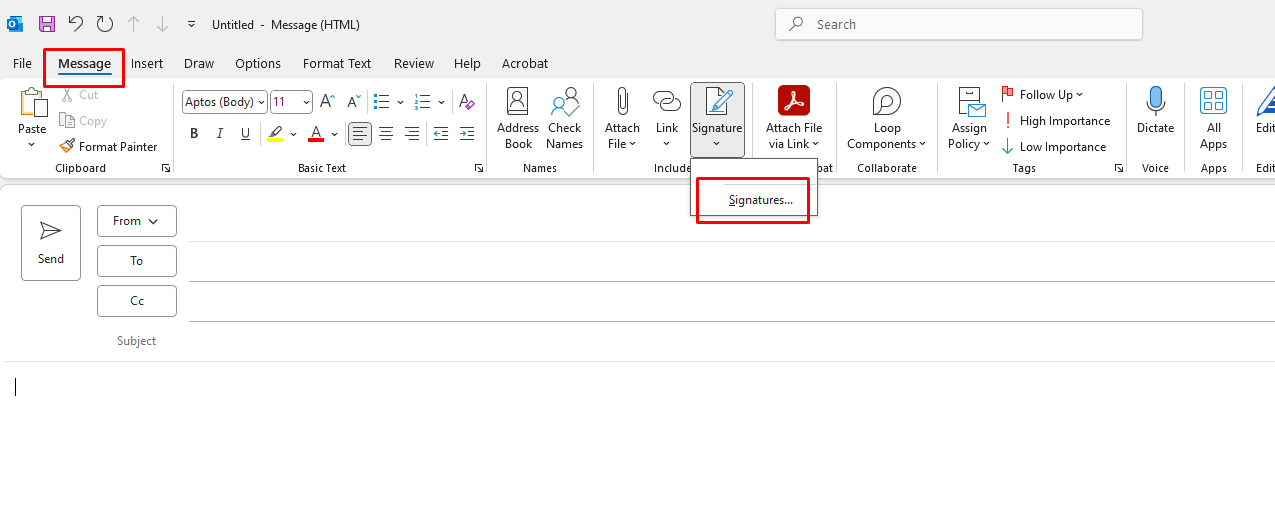
Open Outlook Signature Settings
In Outlook, go to File → Options → Mail → Signatures to open signature settings.
-
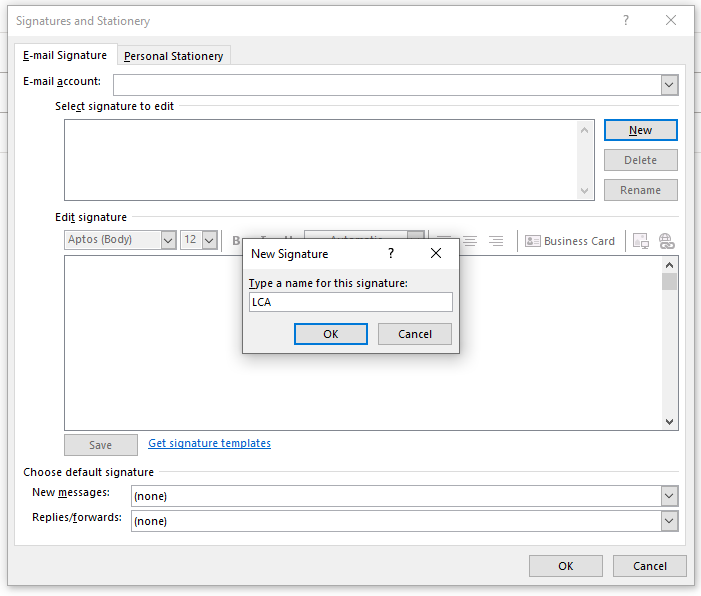
Create New Signature
Click New and give your signature a name (e.g., "LCA").
-
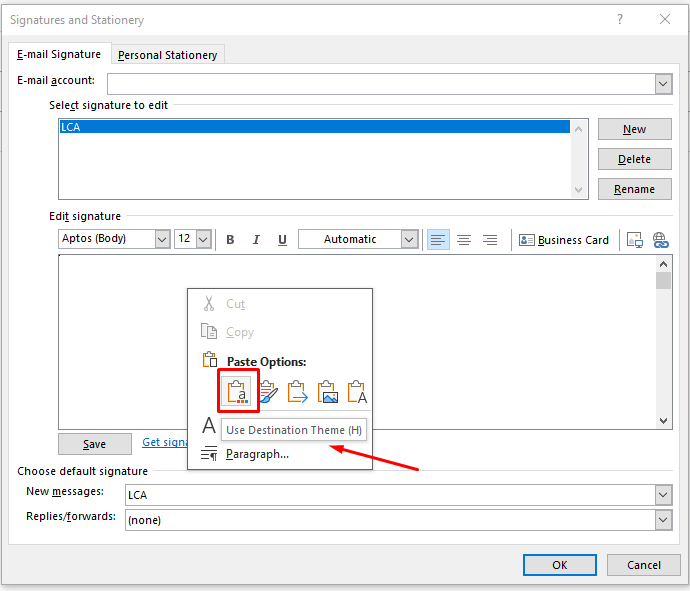
Paste Your Signature
Right-click inside the editor box and choose Paste → Destination Theme or Keep Source Formatting(if possible).
-
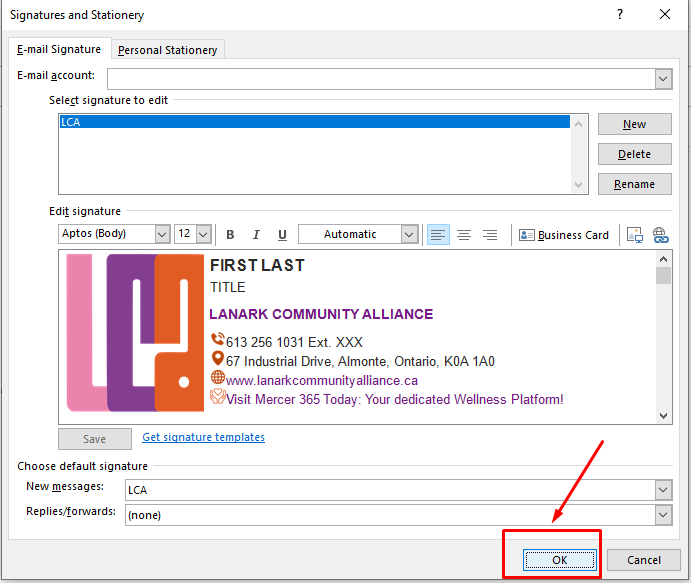
Save Changes
Click OK to save your new signature. It will now be available when composing new emails.